Hi everyone 😉
As a Frontend Developer building a project, there are a lot of tasks to handle in each area on any given day. One of the tasks every Frontend Developer should know how to do is API Integration. For beginners, that raises a lot of questions: what is API Integration, when do you do it, what do you need to know before you start, and so on. So before I get into what API Integration means, you need to know what API stands for and what it does.
API stands for Application Programming Interface. To keep it short and easy to understand, an API is what lets any Client (Browser, Mobile Device, ...) send data to and receive data from a Server with the help of a Protocol. You can roughly think of API Integration as "connecting the Client and the Server". In API Integration, you combine the UI on the Client side with the data sent from the Back-End Server, and you make it possible for the Client to send data back to the Server. To do API Integration as a Front-End Developer,
- API CRUD(Create, Read, Update, Delete) Fundamental
- you should study HTTP Status Codes ahead of time.
You might ask, "Isn't knowing HTTP Status Codes just the Back-End Developer's job?" Yes, it's mainly the Back-End Developer who needs to know them. But the Frontend Developer needs to know them too. Why? During API Integration, you check in the Console (or) API Tools (Postman, Insomnia...) whether the data sent from the Server actually arrives, and whether the data the Client sends back to the Server arrives. If a problem shows up, you can use the Status code to notify the Back-End Developer quickly, so Front-End and Back-End can solve the problem together smoothly. Otherwise the PJ Timeline drags on longer. Today, out of the many HTTP Status Codes out there, I'm sharing the (9) HTTP Status Codes every Front-End Developer really should know. I've also explained what each Status Code means and, when you see one, how Front-End and Backend should notify each other and work it out. If you want the full details on HTTP Status Codes and API CRUD, I've shared some links to read below. I hope it helps in some way.
- developer.mozilla.org/en-US/docs/Web/HTTP/Status
- www.freecodecamp.org/news/crud-operations-explained
- www.sumologic.com/glossary/crud
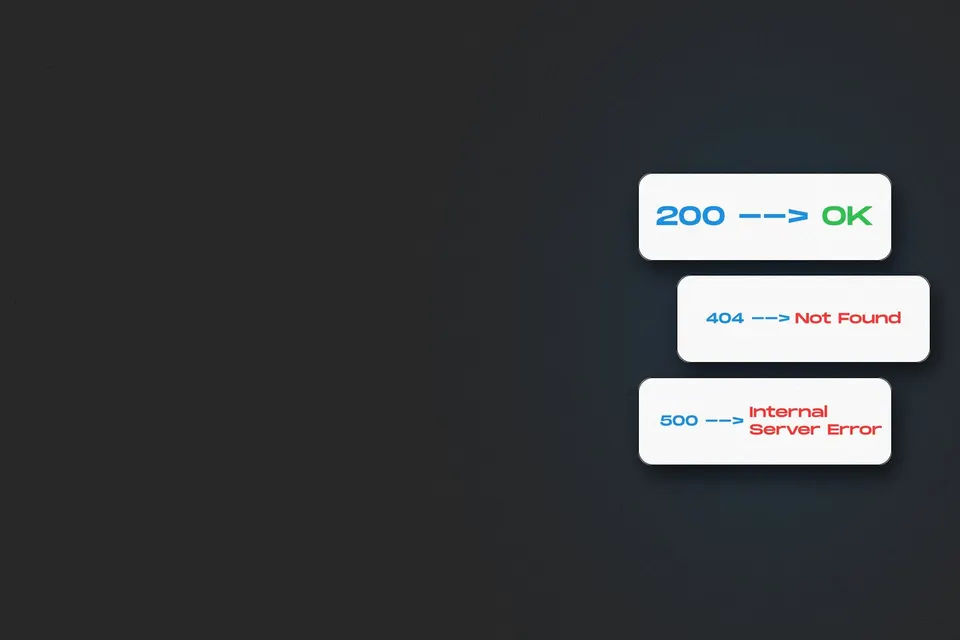
200 — OK
201 — Created
301 — Moved Permanently
400 — Bad Request
401 — Unauthorized
403 — Forbidden
404 — Not Found
500 — Internal Server Error
503 — Service Unavailable
I hope this was helpful
See you in the next one ✌️
အားလုံးပဲမင်္ဂလာပါဗျ 😉
ဒီနေ့မှာတော့ ကျွန်တော်ကတစ်နေ့တာမှာ Frontend Developer တစ်ယောက်အနေဖြင့် Project တစ်ခုကိုပုံဖော်တဲ့နေရာမှာ ကဏ္ဏအလိုက်လုပ်ဆောင်ရမဲ့ Tasks တွေက အများကြီးရှိပါတယ်။ အဲဒီ Tasksတွေထဲမှာ Frontend Developer တစ်ယောက်အနေနဲ့ လုပ်ဆောင်ရမဲ့ သိထားသင့်တဲ့လုပ်ဆောင်ရမဲ့အရာတစ်ခုက API Integration ဆိုတဲ့ Taskတစ်ခုပဲဖြစ်ပါတယ်။ အဲဒီတော့ Beginner တွေအနေနဲ့က API Integrationဆိုတာဘာလဲ ဘယ်အချိန်မှာလုပ်ဆောင်ရမှာလဲ API Integration လုပ်ဆောင်ဖို့ဘာတွေကြိုတင်သိထားဖို့လိုအပ်လဲ စသဖြင့် မေးစရာမေးခွန်းတွေက အများကြီးရှိလာပါတယ်။ ဆိုတော့ API Integration ရဲ့ အဓိပ္ပာယ်ကို မပြောခင်မှာ API ရဲ့ အရှည်ကောက်နဲ့လုပ်ဆောင်ချက်ကိုသိထားဖို့လိုအပ်ပါတယ်။
API ရဲ့ အရှည်ကောက်က Application Programming Interface ပဲဖြစ်ပါတယ်။ API ရဲ့လုပ်ဆောင်ချက်က တိုတိုနဲ့လိုရင်းနားလည်လွယ်အောင်ပြောရရင် မည့်သည့်Client(Brower,Mobile Device,...) မဆို Serverကြား Protocolအကူအညီနဲ့ data အသွားအပြန် ရောက်ဖို့လုပ်ဆောင်ပေးတာပဲဖြစ်ပါတယ်။ API Integrationဆိုတာတော့ "Clientနဲ့ Server ကြား ပေါင်းစပ်ခြင်း" လို့ အကြမ်းအားဖြင့်မှတ်ယူလို့ရပါတယ်။ API Integration မှာက Client ဘက်မှာရှိတဲ့ UI အသွင်အပြင်နဲ့ Back-End Server ကပို့လိုက်တဲ့dataတွေကို ပေါင်းစပ်ပေးရခြင်း၊ Serverကို Client ဘက်က data ပြန်ပို့နိုင်ခြင်းတွေကို လုပ်ဆောင်ပေးရမှာဖြစ်ပါတယ်။ Front-End Developerတစ်ယောက် အနေဖြင့် API Integration လုပ်ဆောင်ဖို့ဆိုရင်
- API CRUD(Create, Read, Update, Delete) Fundamental
- HTTP Status Code တွေအကြောင်းကို ကြိုတင်လေ့လာထားဖို့လိုအပ်ပါတယ်။
HTTP Status Code တွေက Back-End Developer အနေနဲ့ပဲ သိထားဖို့လိုအပ်တာပဲမဟုတ်ဘူးလားလို့မေးစရာရှိလားနိုင်ပါတယ်။ ဟုတ်ပါတယ် Back-End Developer က အဓိက သိထားဖို့လိုအပ်ပါတယ်။ အဲ့အပြင် Frontend Developer ဘက်ကလဲ သိထားဖို့လဲလိုအပ်ပါတယ်။ ဘာဖြစ်လို့လဲဆိုတော့ API Integration လုပ်နေချိန်အတောအတွင်းမှာ Server ဘက်ပို့လိုက်တဲ့ Data ရောက်မရောက်နဲ့ ၊ Client ဘက်လဲ Server ကို Data ပြန်ပို့တဲ့အခါမှာ ရောက်မရောက် ဆိုတာကို Console (or) API Tools (Postman, Insomnia...) မှာ ထုတ်ကြည့်တဲ့အခါ တစ်စုံတစ်ခု Problem တက်လာမယ်ဆိုရင် Status code ပေါ်မှာမူတည်ပြီ Back-End Develper ကို မြန်မြန် Notice ပို့ပြီး Front-End နဲ့ Back-End ကြား Problem Solving အဆင်ပြေစေဖို့ပဲဖြစ်ပါတယ်။မဟုတ်ရင် PJ Timelineပိုကြာသွားစေမှာမို့လို့ပါ။ဒီနေ့မှာတော့ HTTP Status Code တွေ အများကြီးရှိတဲ့အထဲမှ Front-End Developer အနေနဲ့ မဖြစ်မနေသိထားသင့်တဲ့ HTTP Status Code (9) မျိုးကို မျှဝေပြောပြပေးထားပါတယ်။ အဲ့အပြင်Status Code တစ်ခုချင်းစီရဲ့ အဓိပ္ပာယ်နဲ့ Status Code ကိုတွေ့ရင် Front-End နဲ့ Backend ကြားဘယ်လိုမျိုး Noticeပို့ Relationယူရမလဲဆိုတာကိုလဲပြောပြပေးထားပါတယ်။ HTTP Status Code အကြောင်းအပြည့်အစုံနဲ့ API CRUD အကြောင်းကိုလဲ အသေးစိပ်သိချင်ရင်ဖတ်ဖို့ အောက်မှာဝေမျှပေးထားပါတယ်။တစ်စုံတစ်ခု အထောက်အကူပြုစေမယ်လို့ မျှော်လင့်မိပါတယ်။
- developer.mozilla.org/en-US/docs/Web/HTTP/Status
- www.freecodecamp.org/news/crud-operations-explained
- www.sumologic.com/glossary/crud
200 — OK
201 — Created
301 — Moved Permanently
400 — Bad Request
401 — Unauthorized
403 — Forbidden
404 — Not Found
500 — Internal Server Error
503 — Service Unavailable
အထောက်အကူတစ်ခုခုရသွားမယ်လို့မျှော်လင့်ပါတယ်
နောက်တစ်ပုဒ်နဲ့ပြန်တွေ့ကြတာပေါ့ ✌️
 Written by